前言
这是一块资料比较全的ARM开发板,参数是RK3399 6核心arm,配置2G RAM+16G EMMC
由于配套的资料比较全,可玩性非常的高,目前已经适配很多第三方Linux系统如:openwrt、armbian等
开始
首先准备全套的刷机工具和系统镜像
- RK瑞星刷机工具和驱动
- armbian或openwrt镜像
下载地址
开始
先安装驱动,让电脑能够识别
打开DriverAssitant_v4.5,执行安装驱动
之后使用type-c的数据线连接到King3399的主板上的C口,另一端连接到电脑上
通电King3399设备,在通电之前按住USBOOT按钮。
以下是功能图: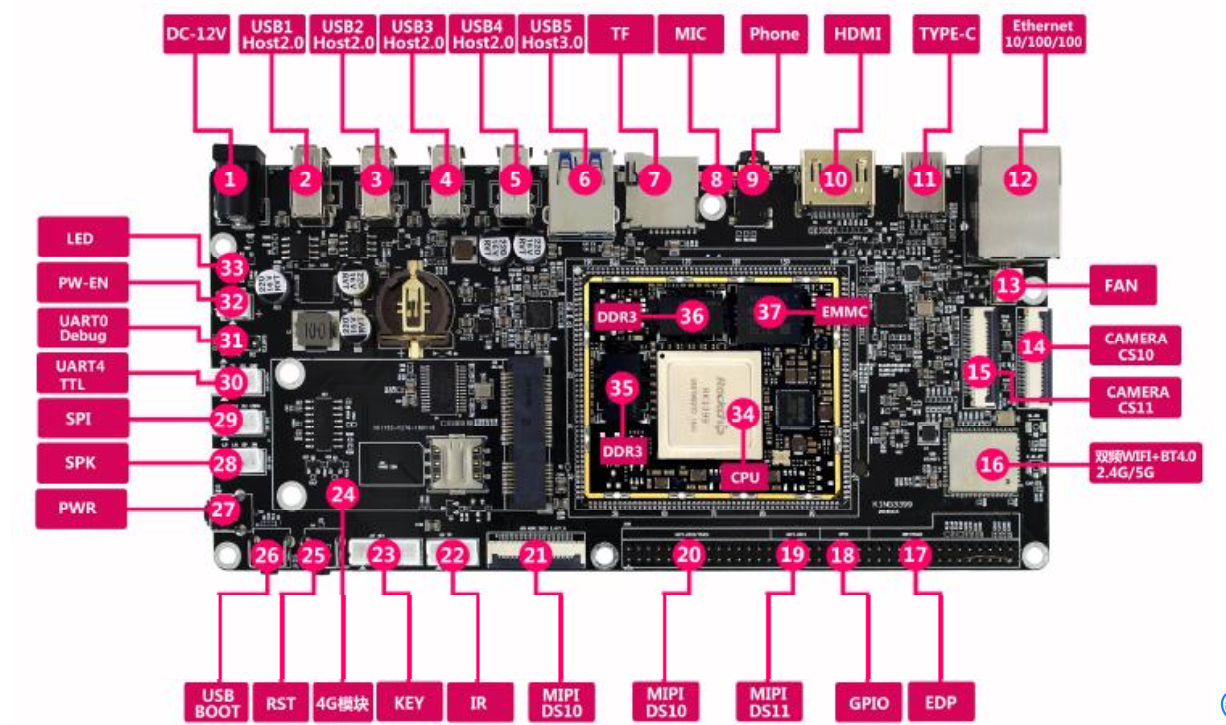
打开AndroidTool_v2.61的目录进入AndroidTool_Release,并启动程序AndroidTool.exe
打开效果如下: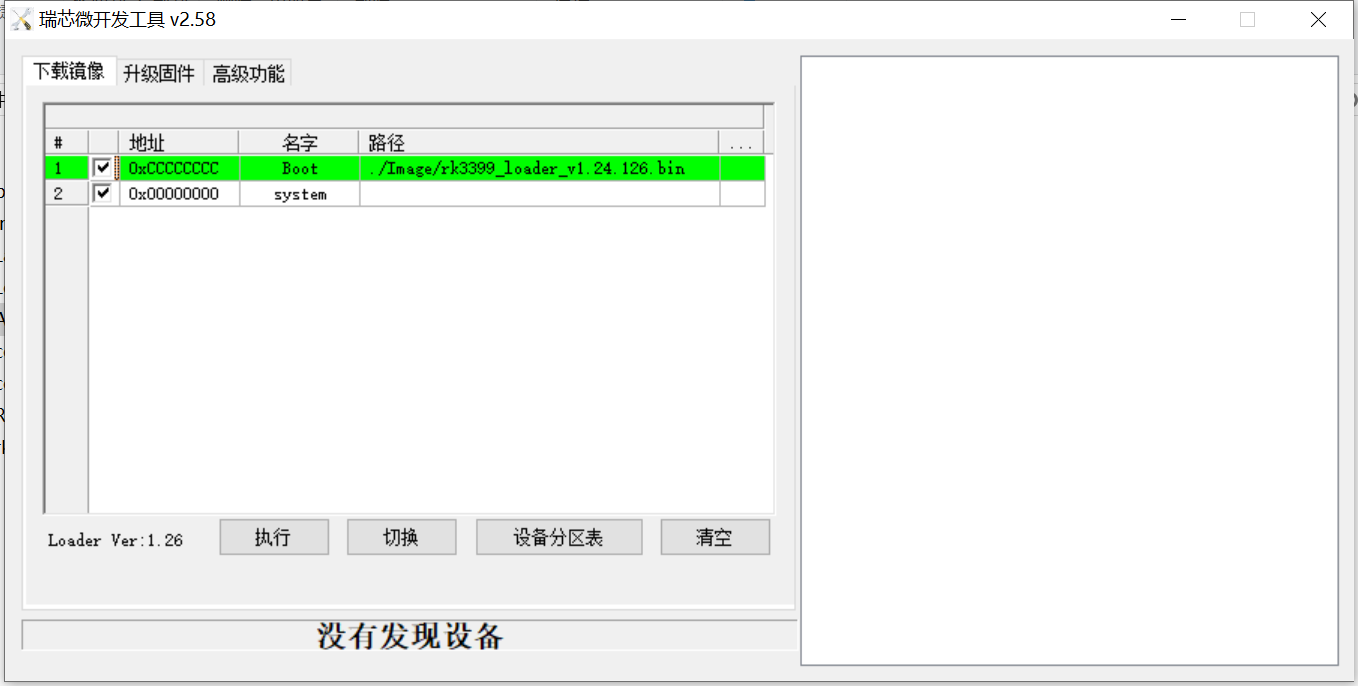
先进入高级模式,进入maskrom模式
注意
底部会显示maskrom的文字,只有连接成功才可以正确刷入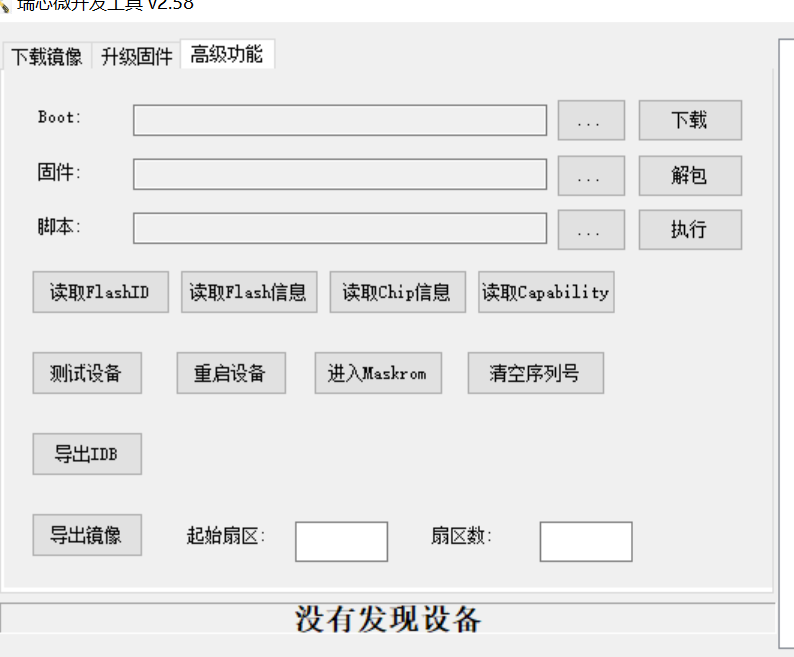
点击箭头所指的地方,选择镜像
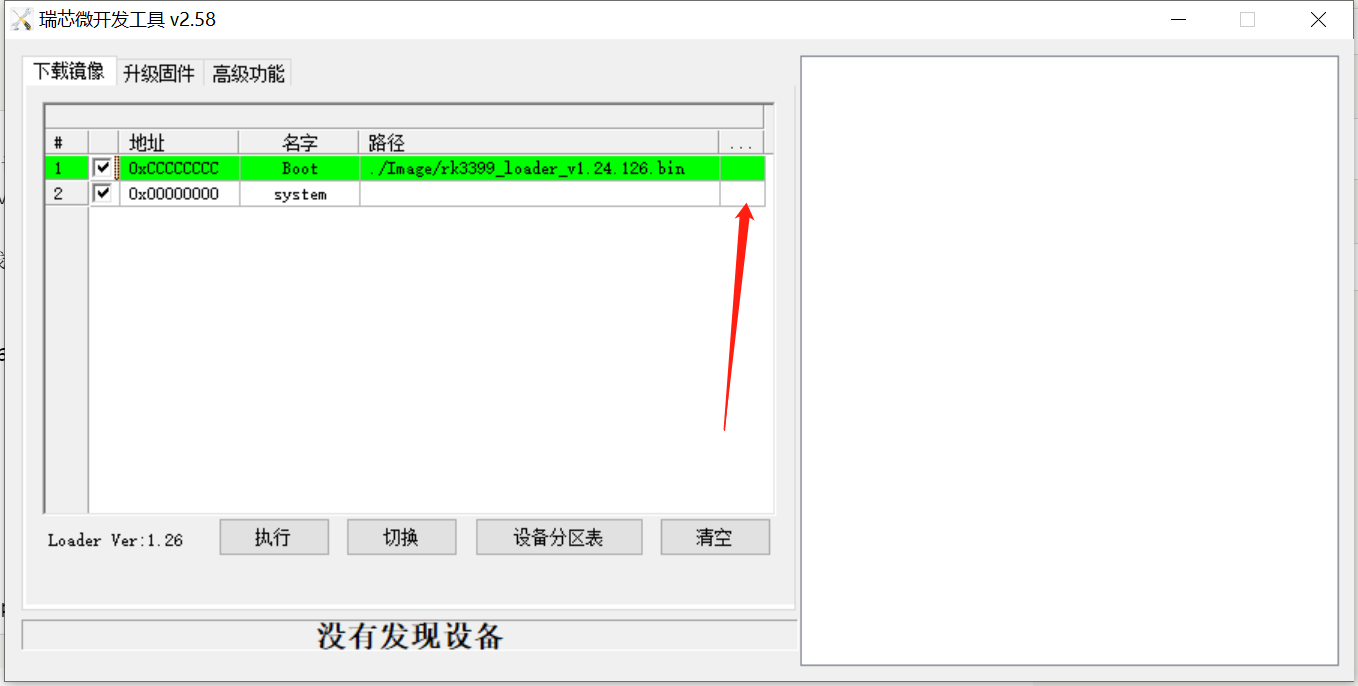
选择之后,点击执行,会自动开始。结束后会自动重启
重启之后注意
armbian的用户名root 密码是1234或者123456
openwrt的用户名root 密码是password

18 条评论
555
555
555
555
555
555
555
555
555
555
555
555
555
555
555
555
Hello thanks for this tutorial
But i have problem when following step this article.
- For openwrt image, device can't boot but can reflash with factory android image.
- For armbian image, device can't boot and can't reflash until i jumper some resistor when booting and after showing boot log, i put off jumper wire.
Any suggestion for installing this device? i really want to install this device with openwrt but no one tutorial working installing openwrt on emmc. For armbian image, i can flash it to emmc.
Maybe you need to download and flash this loader,I can boot after flashing
https://github.com/ophub/u-boot/blob/main/u-boot/rockchip/king3399/rk3399_loader_v1.27.126.bin
hope this helps you